Buy with GP

Got GP? Here’s how to spend it.

Automated GP payments are disabled for the time being. You can still use GP to buy accounts. Convert it to crypto, pay with that. Here’s a step by step guide on how to sell GP, and how to use a crypto wallet.

Step 1Get a crypto walletExodus. Free, multi-coin, self-custodial. Save the 12 words.+

I recommend Exodus ↗. Free, supports every coin you’d reasonably want, runs on desktop and phone.

It’s self-custodial. Install it, set a password, and you’re done. No website account, no email confirmation, no ID upload, no KYC checks. The wallet is yours from the moment it’s installed.

The flip side: there’s no support line that can reset anything for you. When you set the wallet up, Exodus shows you a 12-word secret key in order. Those 12 words ARE the wallet. If Exodus is ever uninstalled or your hard drive dies, the 12 words are how you get back in.

  • Small amounts: a password manager entry is fine.
  • Anything you’d feel sick about losing: pen and paper, somewhere only you know. Two copies, two locations.

Lose the 12 words and the device, and the coins in that wallet are gone. There’s no recovery.

Step by step

Download from exodus.com/download ↗.

Install and open the app. You land here:
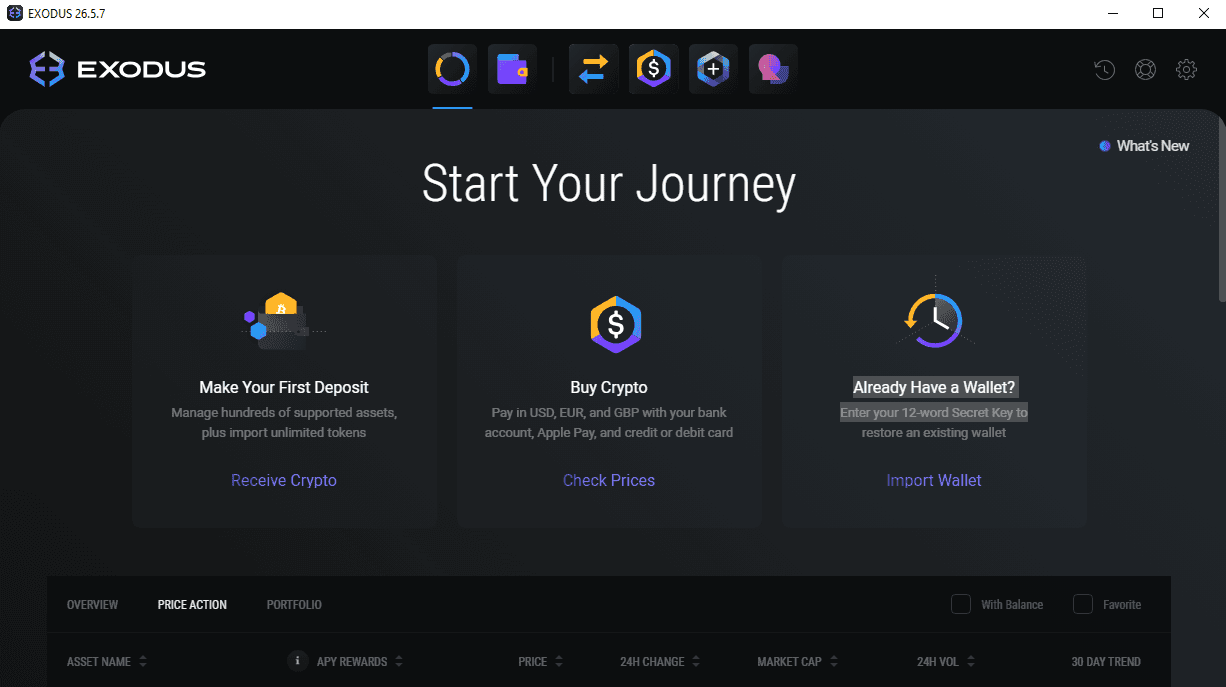
Exodus welcome screen showing Make Your First Deposit, Buy Crypto, and Already Have a Wallet options

Click the settings cog at the top right, then the Backup tab. Exodus asks you to set a password for the app itself:
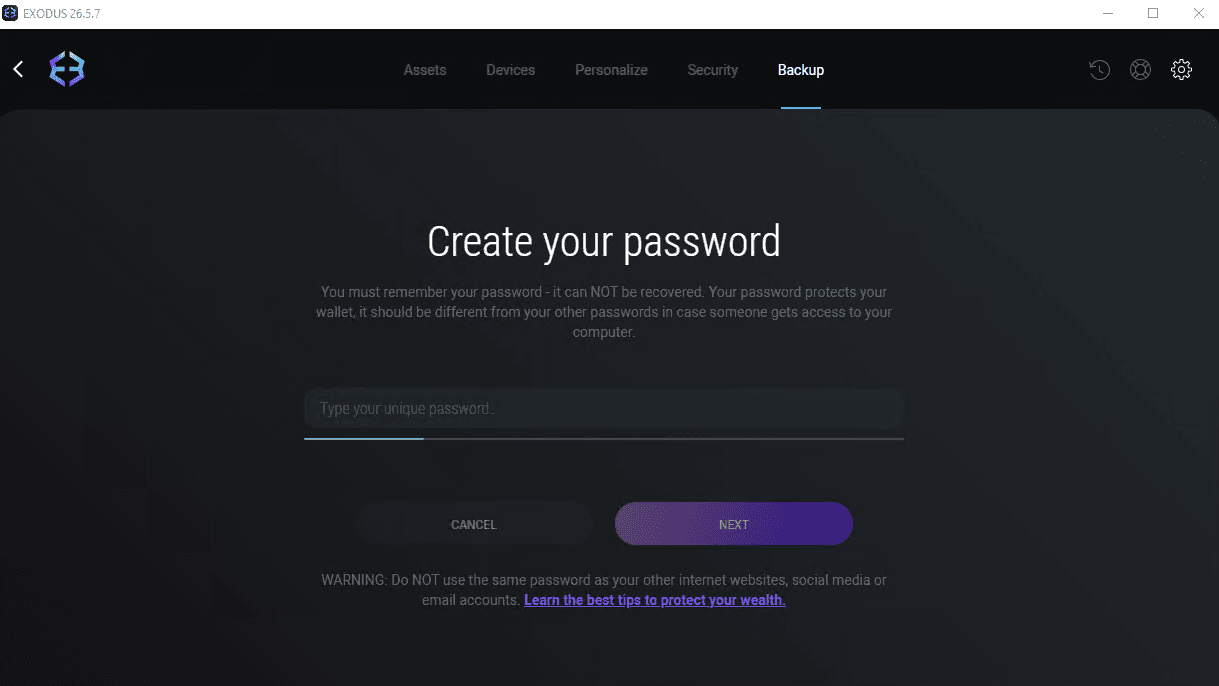
Exodus Create your password screen

Confirm you understand the secret key is for your eyes only:
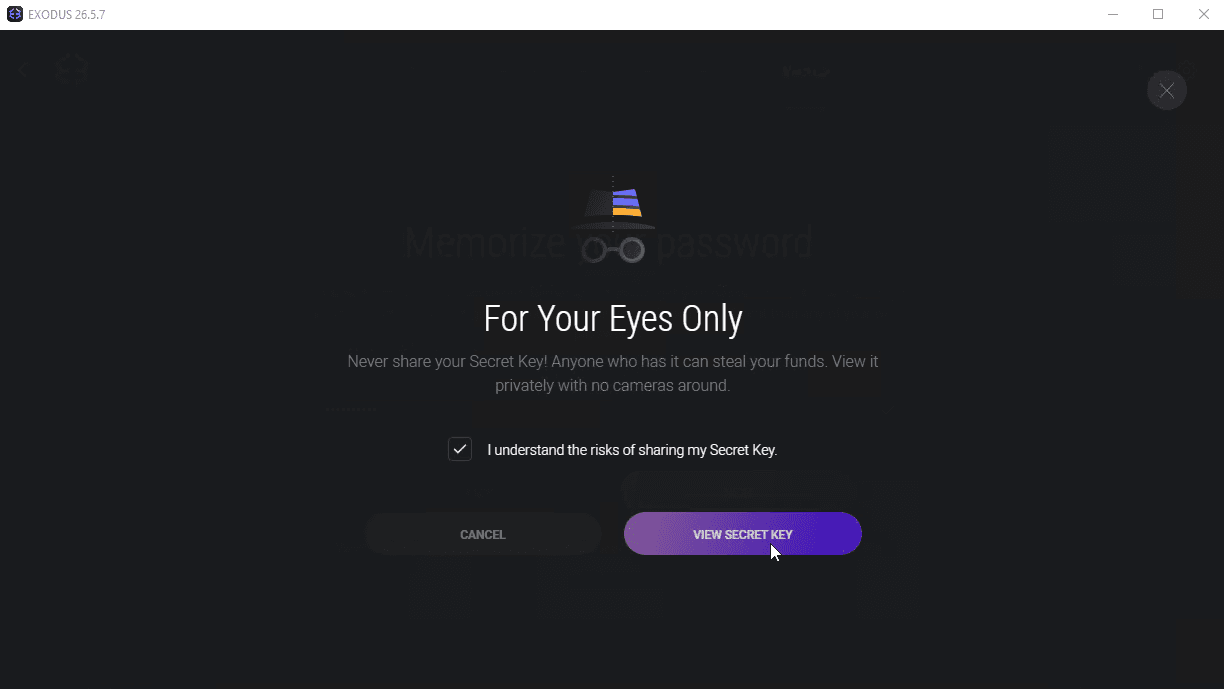
For Your Eyes Only confirmation screen before secret key reveal

Exodus reveals your 12 words. Write them down in this exact order. This is the screen you backup from:
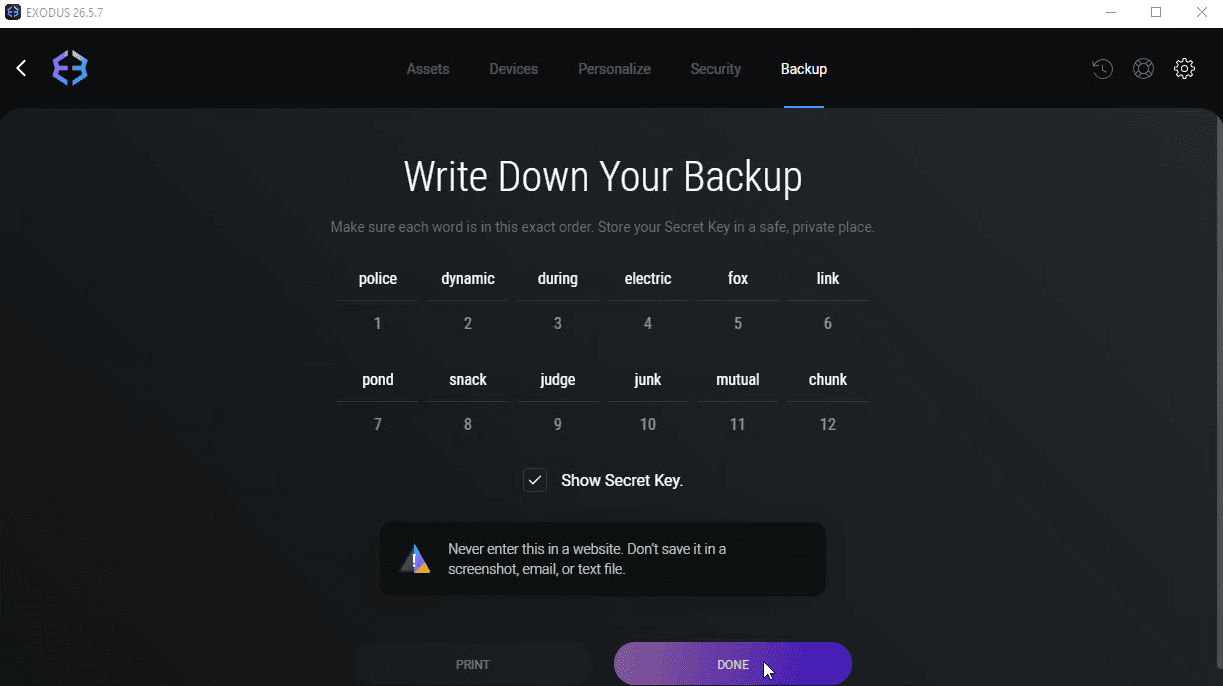
Exodus 12-word secret key backup screen
Never type these 12 words into any website. Exodus will never ask for them. Anyone who has them owns the wallet.
Step 2Find a buyer for your GPmerchants.to for transparent rates, Sythe for more options.+

Two places I’d send people:

merchants.to

A directory of GP buyers with live rates and minimum amounts on screen. merchants.to/currency/sell-osrs-gold ↗. Fewer shops than Sythe, but you can compare offers in 30 seconds without DMing anyone.

Sythe

The biggest OSRS goldselling forum. sythe.org/runescape/sell-osrs-gold ↗. Many more buyers, but most run via Discord tickets so rates and minimum amounts aren’t always on the listing. You DM, you ask, you trade. Better for bulk stacks.

Don’t trade yet. Lock in a buyer and agree on the rate. Step 3 is where the actual trade happens.
Step 3Sell the GP for cryptoPick BTC (2% off Fury accounts) or LTC (fast, cheap). Share your receive address with the buyer.+

You have GP, a buyer, and a wallet. Pick a coin to be paid in:

  • Bitcoin (BTC). Saves you 2% when you pay for Fury accounts with it. Universally accepted by GP buyers.
  • Litecoin (LTC). Network fees are pennies and confirmations land in a couple of minutes. Massively used in OSRS markets.

Get your receive address in Exodus

Click the Wallet tab. You land on Bitcoin by default:
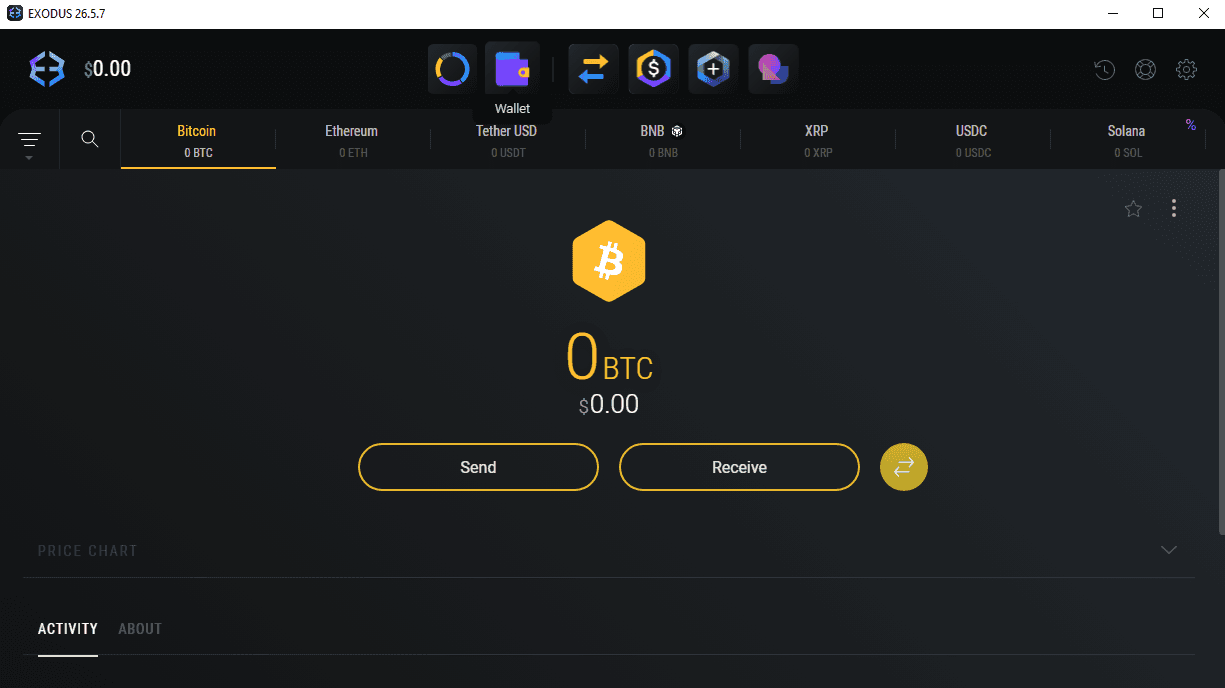
Exodus Wallet tab with Bitcoin selected, showing balance and Send/Receive buttons

Scroll the asset row with the arrow on the right to find Litecoin:
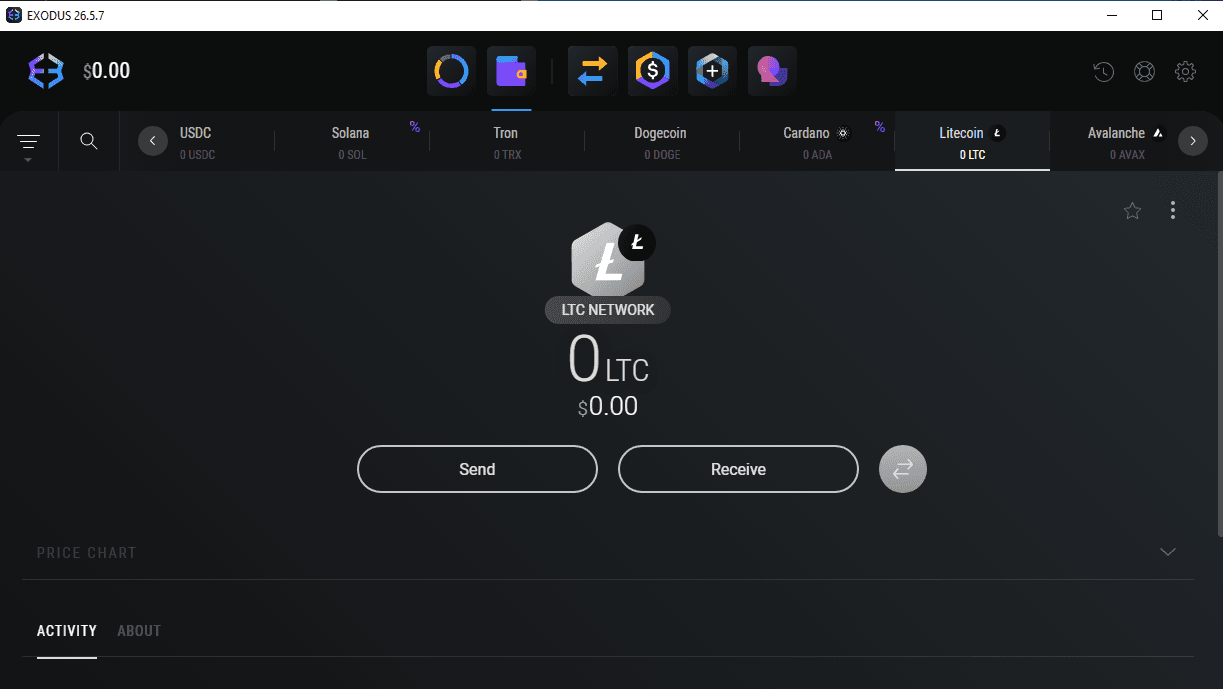
Exodus Wallet tab scrolled to show Litecoin

Click Receive. Your address and a matching QR code appear:
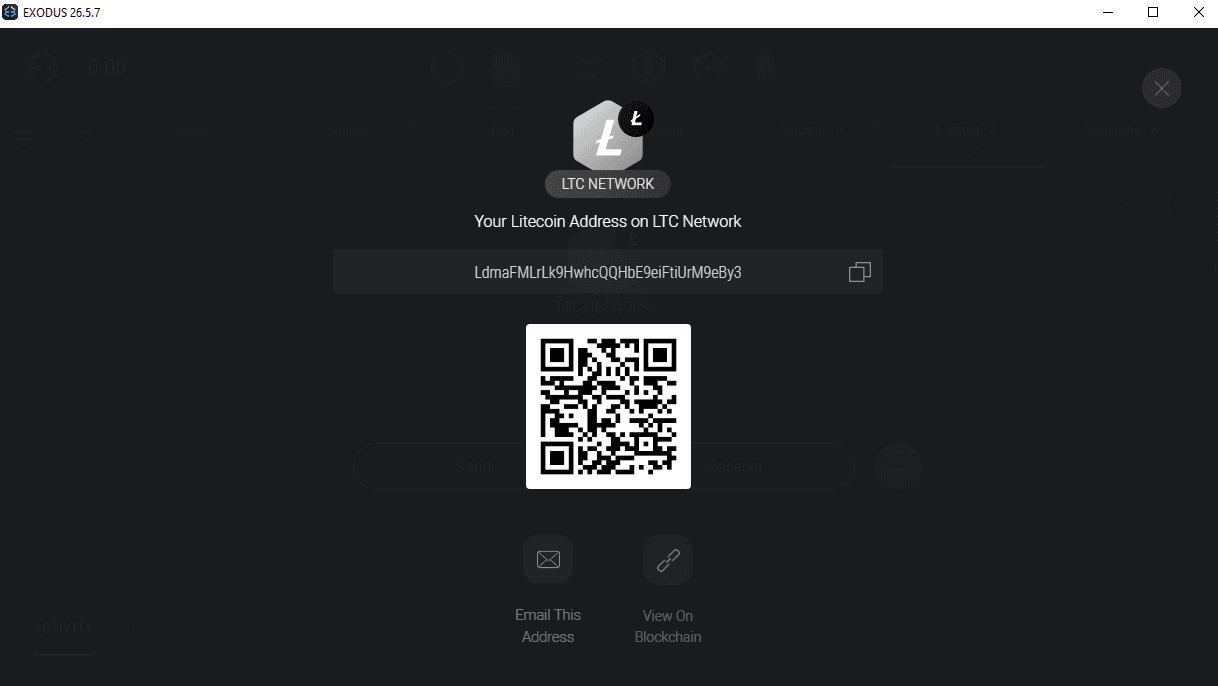
Exodus Receive screen showing the Litecoin address and QR code

That long string is what you send the GP buyer. They’ll pay you LTC (or BTC) at that address once you trade them your GP.

BTC and LTC always use their native networks in OSRS markets, so there’s no network to pick. Some other coins (USDT, USDC, ETH) ask you to choose between networks like ERC-20, TRC-20, BEP-20. If you ever branch out, the network the buyer pays on has to match the network you’re receiving on or the funds are lost.

Triple-check the first and last 4 characters of any address you paste anywhere. Clipboard malware silently swaps wallet addresses on infected machines.
Step 4Pay for Fury AccountsAdd to basket, pick BTC or LTC, paste the address into Exodus, send the exact crypto amount.+
  1. Pick your accounts on furyaccounts.com and hit checkout.
  2. Choose Bitcoin or Litecoin as the payment method.
  3. The payment page shows you a destination address and an exact amount. Both are unique to your order.
  4. Open Exodus, pick the matching coin, click Send.
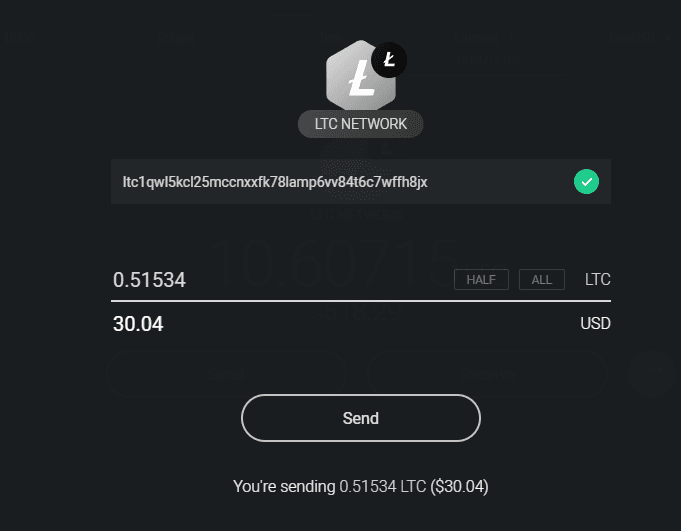
  5. Paste the address from the checkout page. Paste the exact crypto amount in the LTC (or BTC) field. The Send screen looks like this:
Exodus Send screen with destination address and amount filled in
Send the exact crypto amount (BTC or LTC), not the USD figure. The payment processor checks the crypto value; matching the dollar amount won’t cut it because the exchange rate moves between when you start and when the network confirms.
  1. Wait for the first confirmation. LTC lands in 2 to 3 minutes. BTC targets 10 minutes per block but real-world waits are usually 15 to 45 minutes depending on how busy the network is. The order page updates automatically.
  2. Once it flips to delivered, your account credentials appear right there on the page and in your receipt email.
If you close the tab mid-pay, the order page link in your inbox stays live. You don’t need to restart from the basket.

Tools I also recommend

These pair well with a Fury account if you’re botting. I’m an affiliate of both, so the links pay me a small cut. I only list providers I actually use.

Webshare

Bulk cheap datacenter proxies under 10¢ each.

Recommended config: Exclusivity Shared, Bandwidth 250 GB. Good for around 200 accounts.

IPRoyal

Higher-quality, more expensive proxies. Good for P2P account building.

Datacenter from $1.21/proxy. ISP from $2.04/proxy.

Buy with GP: convert to crypto, pay for accounts · Fury Accounts